Overview
If you have forgotten your password or are unable to log in, you can reset your ADVANCE®AI password directly from the login screen.
Follow the steps below to create a new password and regain access to the app.
Steps to Reset Your Password
Step 1 — Open the ADVANCE®AI App
Launch the ADVANCE®AI application on your device.
Step 2 — Enter Your Email Address
On the login screen:
- Enter your email address
- Tap Continue
Step 3 — Tap “Forgot Password?”
Select:
- Forgot Password?
This will trigger a password reset email to be sent to your registered email address.
Password Reset Email
Step 4 — Check Your Email Inbox
Check:
- your Inbox,
- and your Junk/Spam folder
for a password reset email from ADVANCE®AI.
Step 5 — Open the Reset Link
Open the email and tap the password reset link provided.
Create Your New Password
Step 6 — Enter Your New Password
- Enter your new password in the New Password field
- Re-enter the same password in the Confirm New Password field
Step 7 — Reset Password
Tap:
- Reset Password
Your password will now be updated successfully.
Troubleshooting Tips
If you do not receive the password reset email:
- Check your Junk/Spam folder
- Ensure you entered the correct email address
- Wait a few minutes and try again
- Verify you are using the email associated with your ADVANCE®AI account
If the issue continues, please contact Support.
Please see image of login screen showing the "Forgot password" button:
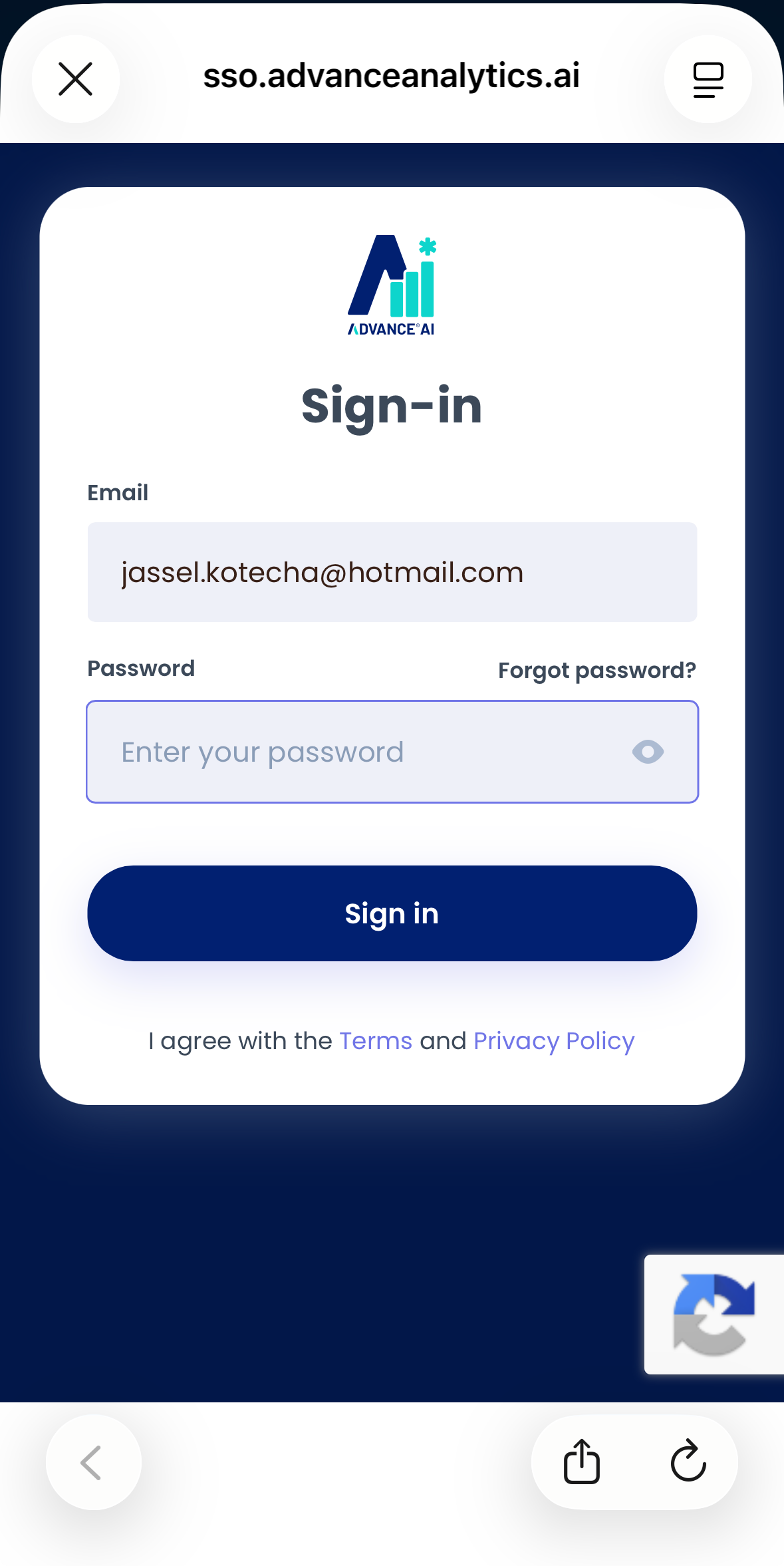
Alternatively, to view a step-by-step video that includes the Password Reset procedure, please click here:
How to Reset your PasswordWas this article helpful?
That’s Great!
Thank you for your feedback
Sorry! We couldn't be helpful
Thank you for your feedback
Feedback sent
We appreciate your effort and will try to fix the article